|
|
| *How to Join an IP game* | | There are only a few steps, they start off very easy!! | STEP 1
First connect to the net!!! Not too difficult !
If you cant do this then dont even ask to join our team!!! lol. But you couldnt be reading this site if you did know how to connect, so I will carry on..........Then you need to find out the host's IP number, write this down, you'll need it later! | 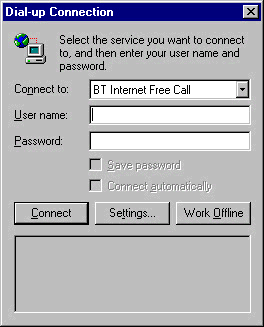 |  | STEP 2
Next you need to open Midtown. Either using the auto run feature when you instert the CD or by using a short cut on your desktop. Then click on multiplayer. | STEP 3
On the multiplayer selection screen chose "TCP/IP Connection" You still with me? I told you its not too hard! | 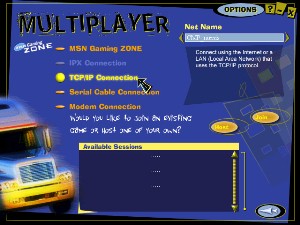 | 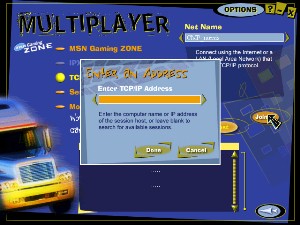 | STEP 4
Now click on the join button, This is where you will need the number you got from the host, type the number in to the box which pops up when you chose join. Copy it exactly, including the dots (.) Eg 213.5.665.1 | STEP 5
After you have done that, Midwtown will automatically put itself down to the task bar to check your connected, just bring it back up, chose a game to join and a car. Then you can have as m
|
|