
( 1.03 MB)
| Click here to download | Please read the following guide before you dowload the file. Thanks. |
( 1.03 MB) |
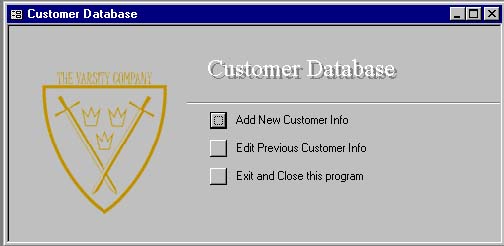 |
Step 1 You will see this window once you open the Database.MDB file. Click on Add New Customer Info to key in your customer information. |
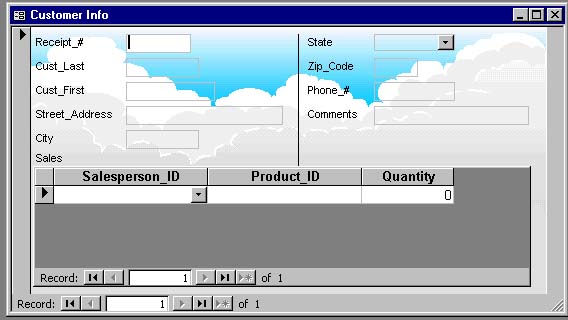 |
Step 2 Please fill in every column. |
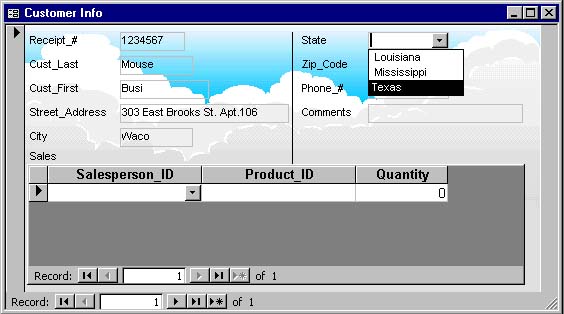 |
Step 3 For your convenience, you can use the drop down box to find the State that you were working in. |
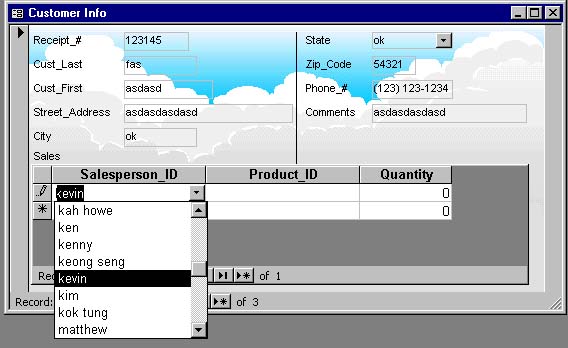 |
Step 4 You can use other drop down boxes to select your name and the product name as well. Beware You must use the same name as in the Salesperson_ID row and in the Product_ID row. For example, if your name is kevin, you must type in kevin, not Kevin, KEVIN or kevin oh. If you don't use the same name as provide in the row, you will receive an error message. |
 |
Step 5 Click on
this button |
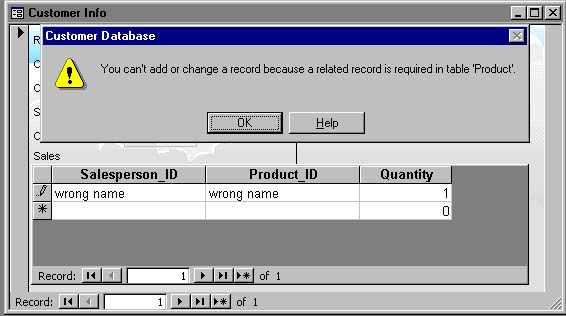 |
Error!!! If you receive an error, don't panic. Please refer to Step 4 and check whether you are using the provided name in your column. If you have further questions, please email to Paul |
|
Finish?? Click on Exit and Close this program to close and save your file. |
 to
add another customer.
to
add another customer.