Hello!!,
This Page will help you to view arabic pages through the netscape communicator.
You must change the font settings
in your netscape browser as follows.
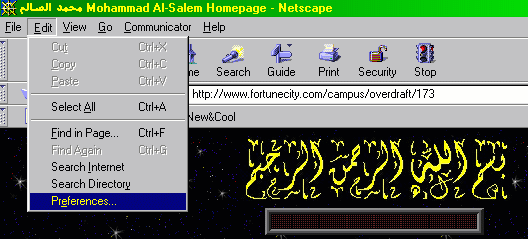
1- Go to Edit in the menu bar and chose Preferences.
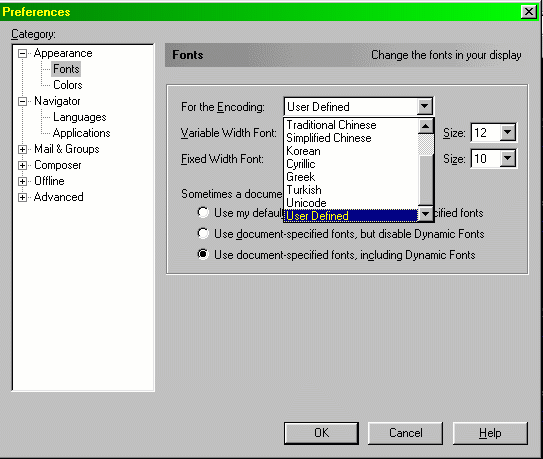
2- Chose Fonts, then chose User Defiend from " For the
Encoding".
3- Chose Times New Roman (Arabic) from the " Variable
Width Font".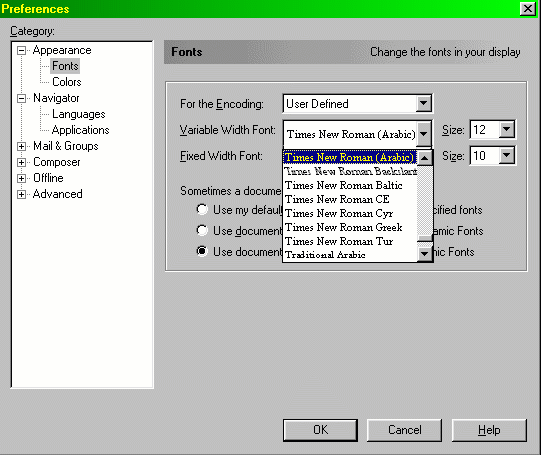
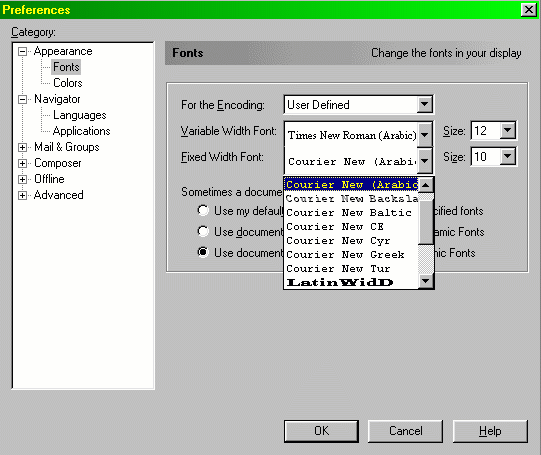
4- Chose Courier New (Arabic) From the " Fixed Width
Font"
5-Click OK.
6- Go to View in the menu bar and chose Encoding----->>User
Defined.
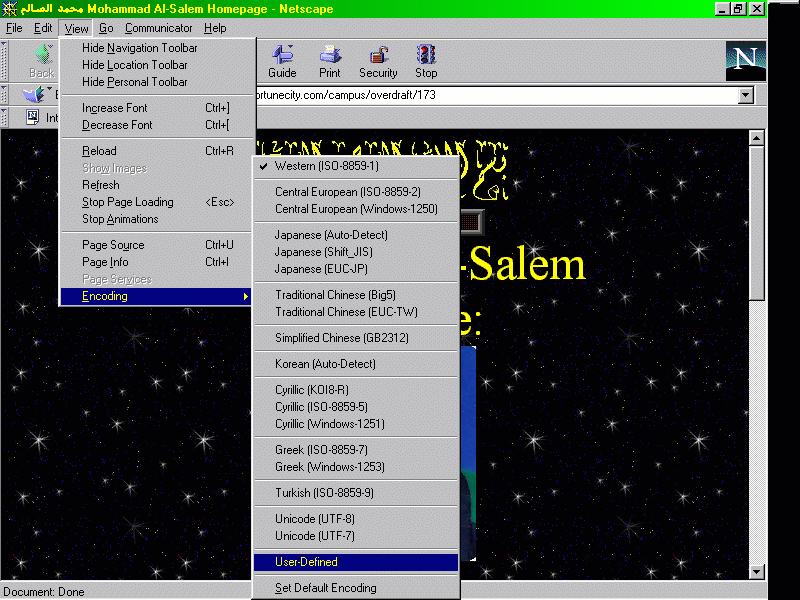
you can now view arabic pages, good lock
BACK TO THE ARABIC PAGE