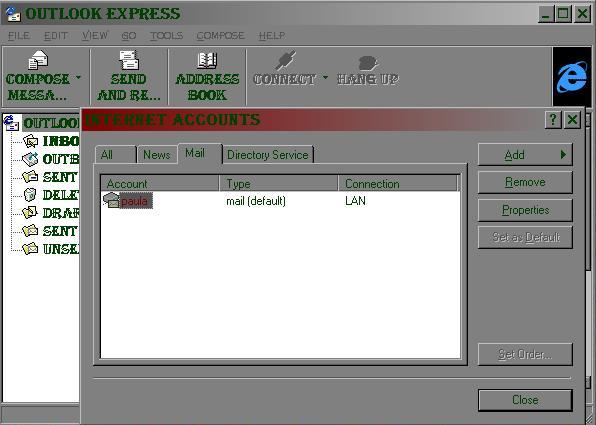
 Edit your outlook account in ms outlook. Edit your outlook account in ms outlook.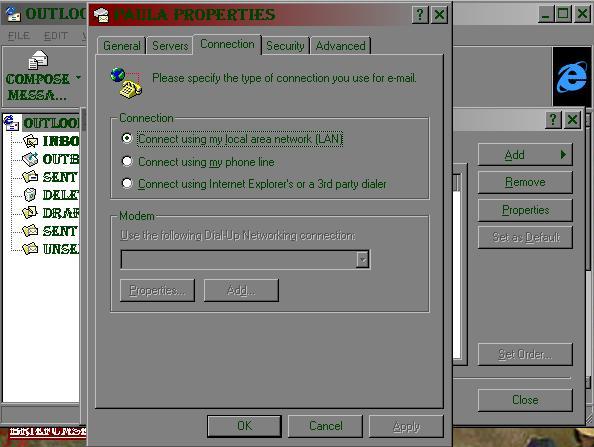 Check
"connect using my local.......". Check
"connect using my local.......".
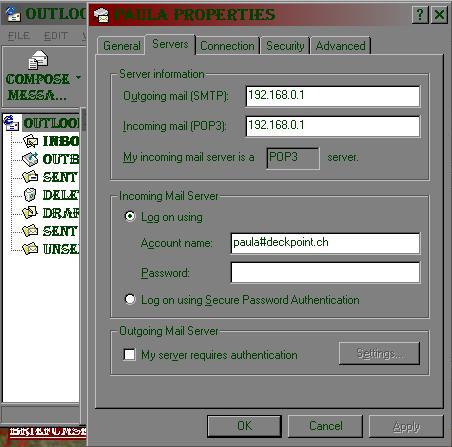 Write
here the TCP/IP of the Wingate server and your POP3
username (if your username was "john" with
netscape, here it becomes
"john#your.provider.pop_and_smtp" the
"#" is used by wingate. Write
here the TCP/IP of the Wingate server and your POP3
username (if your username was "john" with
netscape, here it becomes
"john#your.provider.pop_and_smtp" the
"#" is used by wingate.
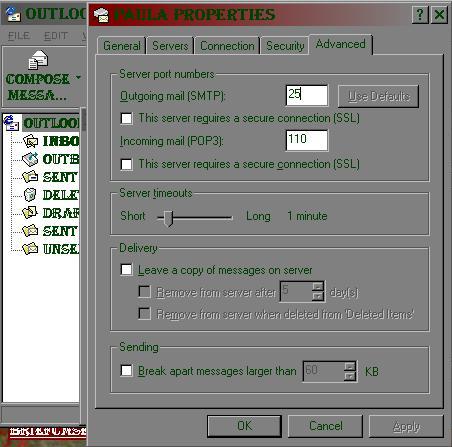 Give here
the port numbers. Give here
the port numbers.
And now configure Wingate to work with MS Outlook in
the server computer
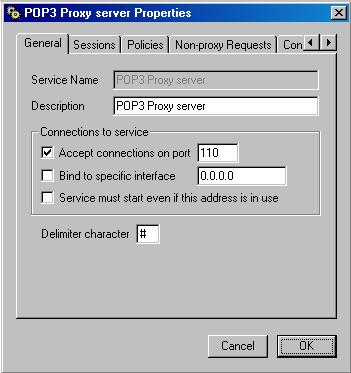 In
wingate add a POP3 service waiting on port 110. In
wingate add a POP3 service waiting on port 110.
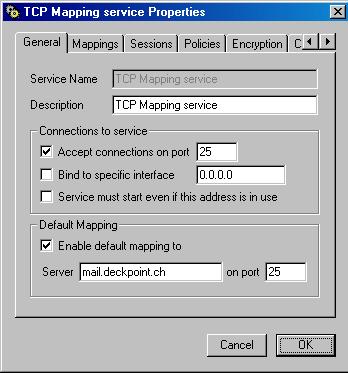 And a TCP
service on port 25 and enable the mapping to your
provider's SMTP. And a TCP
service on port 25 and enable the mapping to your
provider's SMTP.
NB THIS POP3 PROXY AND TCP SERVICE IS USED ONLY BY
OUTLOOK, YOU DON T NEED TO MAKE THAT IF YOU ACCESS YOUR
MAIL BY NETSCAPE!!!!
ET VOILA.
|