|
|
|
 |
|
|
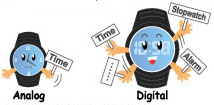
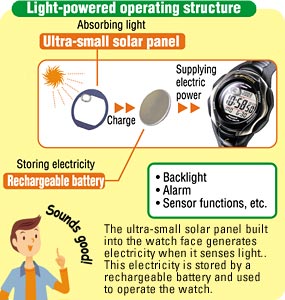
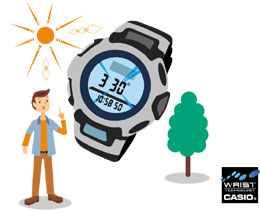
Digital watches with LCD displays and various functions require considerably more power to operate than conventional analog watches. TOUGH SOLAR watches employ CASIO's original large-capacity solar-charging system to ensure the wearer unrestricted use of their advanced digital watch functions. |
 |
Digital watches consume approximately twice as much battery power as analog watches.
 |
|
|
|

|
|
|
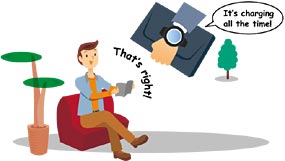
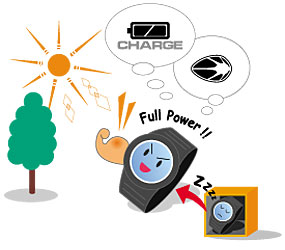
TOUGH SOLAR watches can be recharged even on cloudy days or under fluorescent lighting. The recharging speed differs depending on the brightness of the light source, but in optimal circumstances, outdoors on a sunny day (50,000 Lx), the solar battery can generate enough power for a day's operation in just 5 minutes. It also keeps on charging naturally during normal operation worn on your wrist. If the watch isn't fully exposed to light, however - as may happen when it's covered by coat or jacket sleeves, for instance - the charge level may fall too low. You can prevent this easily by exposing your watch to a strong light source, such as direct sunlight, to recharge it occasionally under such circumstances. |
|
|
 |
|
|
Once the battery is charged, the watch continues operating, even in the dark. A fully charged TOUGH SOLAR watch will keep running for a minimum of approximately five months, *even if it's worn in places with no exposure to light. |
|
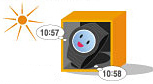
*The period differs depending on the model and operating conditions. |
|
|
 |
|
|
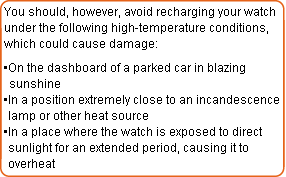
No. TOUGH SOLAR watches are equipped with an overcharge prevention function that prevents problems caused by excessive exposure to light. |
|
|
|
 |
|
|
As a rule, you should never have to replace the battery in actual use. As for maintenance, we recommend that you have the packing of water-resistant models changed periodically (roughly every 2 or 3 years) to maintain the water resistance. |
|

|
|
|
 |
|
|
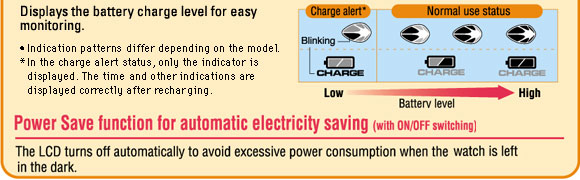
This function saves battery power by turning off the display automatically when the watch is not exposed to light for a certain time. (Operation is manual in some models.) The display returns to normal and shows the correct time when the watch is exposed to light again, tilted* or activated by pushing a button. Alarms and timers sound normally in the Power Save mode. |
|
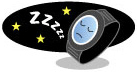
*The watch should be tilted about 40° toward the wearer's face from the horizontal position. |
|
 |
|
We recommend that you charge the battery fully, up to the maximum level shown on the battery charge indicator, by exposing the watch to light. Set the time while the watch is charging. Then switch the Power Save function to ON to conserve battery power automatically.
*Power Save is switchable between ON and OFF.
It is set to ON when the watch is shipped from the factory. |
|
 |
|
|
 |
|
|
The display may go blank when the watch is in one of the three statuses described below. This does not indicate malfunction. |
|
|
 |
When the watch has been switched to the sleep mode by the Power Save function |
The watch has been put to sleep automatically to save battery power. It will be revived from the sleep mode when it is exposed to bright light, when a function button is pressed or when it is tilted* toward the wearer's face.
*The watch should be tilted about 40° toward the wearer's face from the horizontal position.
|
 |
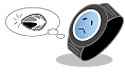
When only the charge alert indication is shown on the display |
The battery voltage is low. Expose the watch to bright light and recharge the battery.* There is no need to charge the battery.
*The time required for recharging varies depending on the model.
|
 |
When the display remains completely blank, even when various watch operations are attempted |
Even if the battery is completely run down, a TOUGH SOLAR watch will return to normal operation if it is recharged as described in item  above. above. |
|
|
|
|
 |
|
|
This is a battery charge alert. To return the watch to normal operation, expose it to bright light and recharge the battery. You should check the charge level regularly and recharge the battery by exposing the watch to light as necessary.
|
|
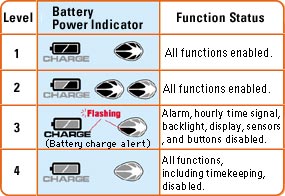
*Various Tough Solar watches employ different indication patterns from those shown here. |
|
|
|


 Features an eco-friendly solar system with no disposable battery.