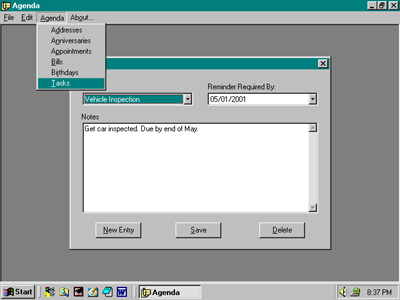
The Task Form can hold values for a Task Name, a desired reminder date, and a section for related Notes.
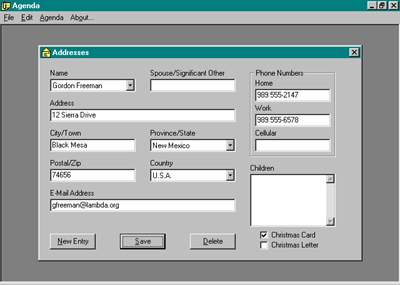
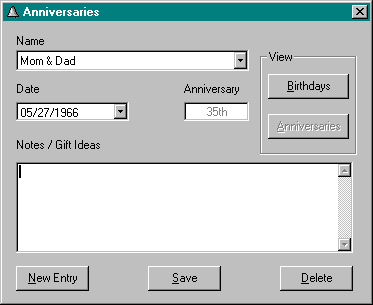
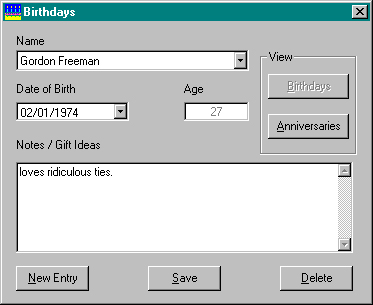
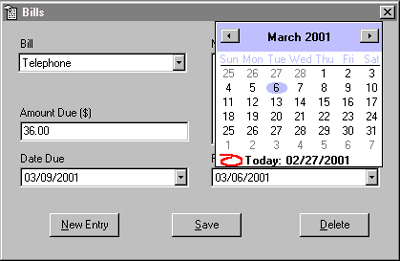
All date selections in the Application were an Active X Control Date Picker. This served as a more straightforward means of selecting dates and was useful for self-validating that the input was a date.
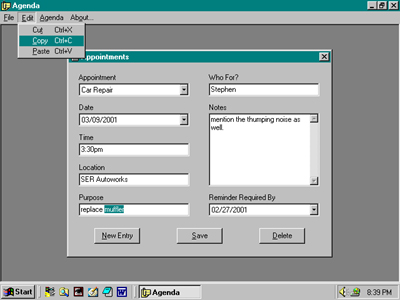
The Menu contained an edit selection that would allow the user to Cut, Copy and Paste selections to and from text areas. It was coded to utilize the Windows Clipboard.
The File menu item allowed the user to exit the program.
Private Sub cmdNewEntry_Click()
Dim intCount As Integer
Dim lngPos As Long
Dim strAddressName As String
'clear the text fields, check boxes,
and combo boxes
txtSpouse.Text =
""
txtAddress.Text = ""
txtCity.Text = ""
txtPostal.Text = ""
txtHPhone.Text = ""
txtWPhone.Text = ""
txtCPhone.Text = ""
txtEmail.Text = ""
txtChildren.Text = ""
cboProvince.ListIndex = 0
cboCountry.ListIndex = 0
chkCard.Value = vbUnchecked
chkLetter.Value = vbUnchecked
'set the database to receive a new
entry
'and will be tested for in the
AddressDB class
mobjAddress.AddressId = 0
'provide an input box to place the NAME
in the combo box
mobjAddress.AddressName = InputBox("Type the name of the
new Person")
'make sure something was entered in the
input box
If mobjAddress.AddressName = "" Then
Call Form_Load
Exit Sub
Else
'change an apostrophe, if any, to
reversed form: "`" to avoid SQL errors
For intCount = 1 To Len(mobjAddress.AddressName)
'test whether there's
an apostrophe in the text
'if there isn't, exit the loop
If InStr(mobjAddress.AddressName,
"'") = 0 Then
Exit For
'if
there is, find where each one is
'and change it to the
reverse form: "`"
Else
lngPos = InStr(1,
mobjAddress.AddressName, "'")
strAddressName =
mobjAddress.AddressName
Mid(strAddressName,
lngPos, 1) = "`"
mobjAddress.AddressName =
strAddressName
End If
'loop through until there are no more
apostrophes
Next intCount
'save the name in the database with a
new ID
Call cmdSave_Click
End If
End Sub