|
Modem to Palm V Instructions
|
|
|
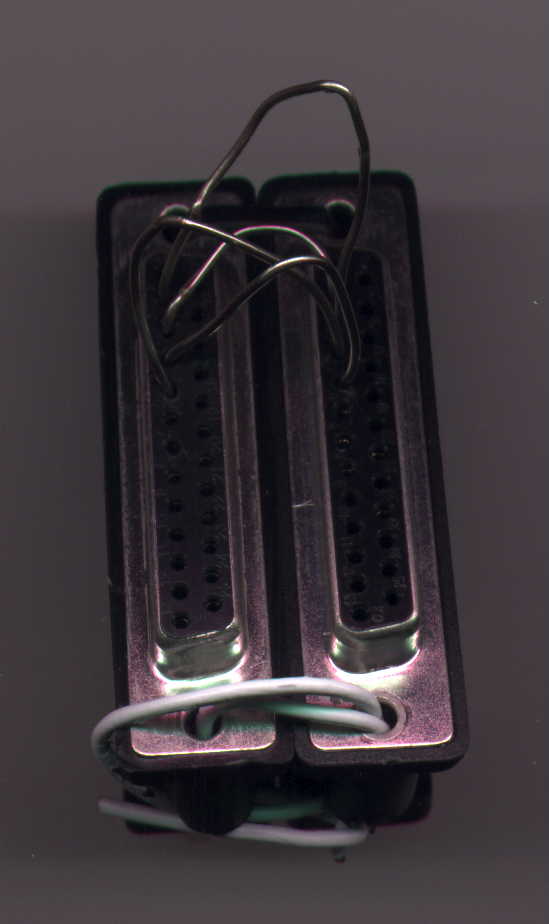
This was my very first trial attempt!!
|
Crude don't you think. The first 10 times didn't work...but later, somehow, all the paper clips connected and the Palm V made my MERZ 33.6KBPS modem burst into life.....
The Network Connection said....'Signing On' and then 'Established' .....one of the happiest sights of my life!!!
|
|
|
|
|
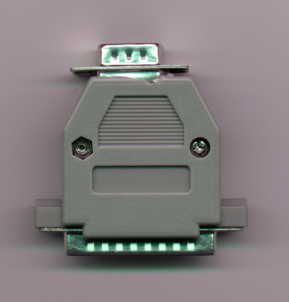
For 25 pin female modem outs to 9pin Female Hot Sync Cradles
|
The process involves connecting your Standard Hot Sync Cradle to the modem via the Modem Connector. This modem connector can easily be made by making some easy soldering connections.
Purchase one RS232C 25 pin male connector and one RS232C 9 pin male connector. Solder the following from the 25pin connector to the 9pin connector :
2 - 2
3 - 3
5 - 7
7 - 5
4 - 8
Once you've done this, just connect the Hot Sync Cradle to the modem via this connector and you're in business!!!
Just set the country settings in the Network menu in Preferences to 'Other'
then dial up as normal!!
Works just like the Palm V modem but for a fraction of the cost.
The 25pin connector costs $1 the 9pin costs $0.50...so total cost is $1.50.
Modem costs: 2nd hand merz, $19!!
Total costs : $20.50.....!!!
Amazing huh!!
|
|
|
|
|
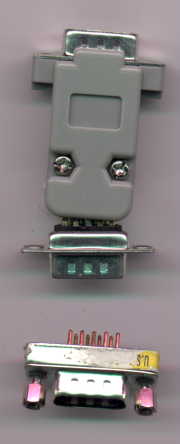
For 9 pin female modem out and 9 pin female Hot Sync Out
|
Buy 2 RS232C 9pin connectors. Solder the following:
2 - 3
3 - 2
7 - 8
8 - 7
5 - 5
Once this is done, connect as above and voila!!
Your very own Palm V modem.
Well, this connection is more useful for External Pocket Battery Modems, but these are out of production, or at least i've been unsuccessful in finding one.
If you know where I can get one in Singapore, please do email me, thanks....
GOOD LUCK ALL...
I'm not responsible for any damage caused to your Palm so please do this at your own risk....
|
|
|
|
|
|
|
|
