
This Weeks Review - Winamp 2.24
 WinAmp
is one of those utilities you can't live without. It's as much apart of
a system installation as the OS itself and rightfully so. If your
looking for an all in one utility that can not only play MP3 files but
can now also play CD's then this is the tool for you.
WinAmp
is one of those utilities you can't live without. It's as much apart of
a system installation as the OS itself and rightfully so. If your
looking for an all in one utility that can not only play MP3 files but
can now also play CD's then this is the tool for you.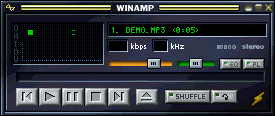 WinAmp's
main screen is simple and easy to navigate. Your basic buttons are all
present, stop, play, skip, back, forward, and of course eject. But what
you may have not noticed are a couple of small buttons to the right
called EQ and PL.
WinAmp's
main screen is simple and easy to navigate. Your basic buttons are all
present, stop, play, skip, back, forward, and of course eject. But what
you may have not noticed are a couple of small buttons to the right
called EQ and PL. 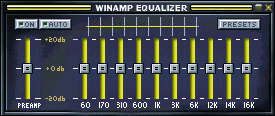 The
EQ in WinAmp is a fully functional really cool 10 band EQ which allows
you to really dial in the sound of the MP3 your playing. One of the nice
features WinAmp has built in is the ability to save customized EQ
settings via the Presets key you see in the upper right of the screen
shot. WinAmp also comes with a very nice set of already customized
presets which you can try out and use for all different kinds of music.
Very cool!
The
EQ in WinAmp is a fully functional really cool 10 band EQ which allows
you to really dial in the sound of the MP3 your playing. One of the nice
features WinAmp has built in is the ability to save customized EQ
settings via the Presets key you see in the upper right of the screen
shot. WinAmp also comes with a very nice set of already customized
presets which you can try out and use for all different kinds of music.
Very cool!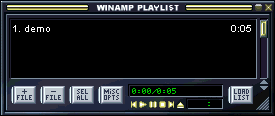 The
Play List in WinAmp is where you can access all the MP3 files you may
have on your system or CD ROM. Personally I copy all the MP3 files I
have to one directory and then burn them to a CD which not only allows
me to carry them with me but also save some hard drive space. The Play
List area also allows you move files around via the File + and File -
buttons.
The
Play List in WinAmp is where you can access all the MP3 files you may
have on your system or CD ROM. Personally I copy all the MP3 files I
have to one directory and then burn them to a CD which not only allows
me to carry them with me but also save some hard drive space. The Play
List area also allows you move files around via the File + and File -
buttons. 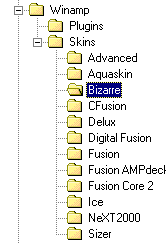 One
of the best features about WinAmp is the ability to change the look and
feel of the program. Changing a skin
in WinAmp is very easy to do but you will need to follow a few steps to
make it work correctly. Notice in the screen shot to the left the
several "skins" I have installed for the program. Now
this is more or less eye candy and really offers no performance gains
but it's still fun to play with and really allows you to customize
WinAmp. As you can see from the below two plug-ins I have running
on my machine I go a little nuts with these gizmos.
One
of the best features about WinAmp is the ability to change the look and
feel of the program. Changing a skin
in WinAmp is very easy to do but you will need to follow a few steps to
make it work correctly. Notice in the screen shot to the left the
several "skins" I have installed for the program. Now
this is more or less eye candy and really offers no performance gains
but it's still fun to play with and really allows you to customize
WinAmp. As you can see from the below two plug-ins I have running
on my machine I go a little nuts with these gizmos. 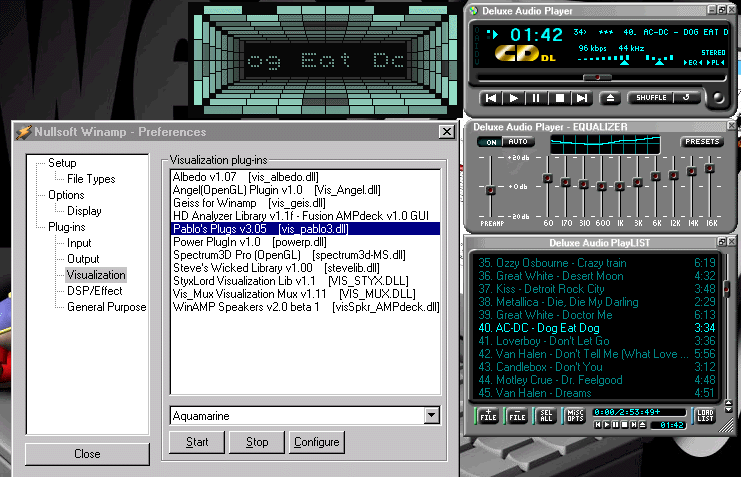
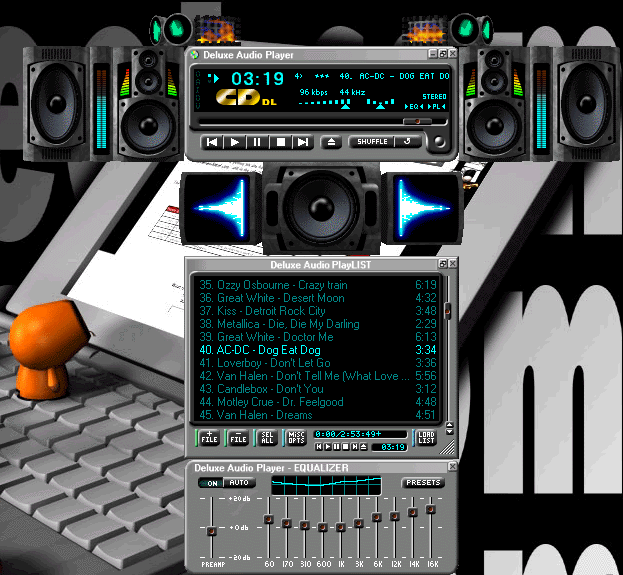
As you can plainly see WinAmp is not just another utility but actually a very well done and free MP3, CD, and .wav player.