Logging In to your ISP
Note: Most ISPs use the PAP protocol to automatically authenticate and log in users. If your ISP isn't using PAP, then you may need to log in differently. If you don't know, then try the information below first.
If you are not already in the Dial-Up Networking folder, then double-click My Computer and then double-click Dial-Up Networking. Select the entry you want to log in to (if you have more than one), and double-click it.
You'll be presented with the following panel:
Enter the User name that your ISP assigned to you, and the password. Click "Connect" and you'll see the following:
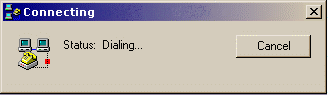
Once the modem dials and connects, you should be automatically authenticated with the ID and password you entered earlier. A small icon that looks like two computers with blinking screens will then appear in the taskbar tray.
Once that icon appears, you are connected and can begin using any standard Internet programs, such as a web browser, email program, or other programs.
To disconnect, right-click on that small icon and select "Disconnect".