Mp3 Newsgroup Help
First be sure that your parental controls are set to allow you NewsGroup Access, these can be changed only under the master account holders name.
____________________________________________________________
1. After setting the parental controls from the master account to allow full access, go to AOL Key Word Newsgroups.
2. Click the set preferences button and set your reading preferences such as how you want the files listed, your posting preferences, and filtering, etc. Save these preferences.
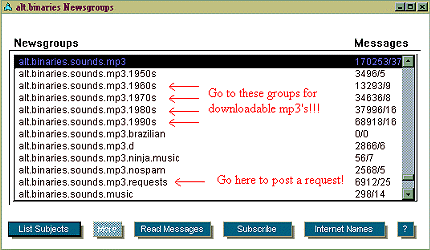
3. Click the Add Newsgroups button... go to alt.binaries.sounds.mp3, and add the "binary newgroups" that you want... 1960's, 70's, 80's, or 90's. << These are the binary groups! (Groups with available mp3 downloads.) The other groups are used for discussion and information (text files), read the newsgroups FAQ page for information regarding posting and downloading.
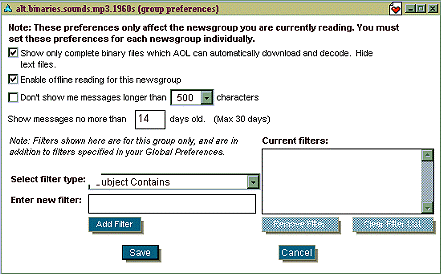
4. After adding the groups, click on the read my newsgroups button, and click the newsgroup you want to read, when the window opens click on the preferences button at the bottom of it, and a new window will open.Be sure to check the box that says "show only complete binary files which AOL can automatically download and decode". Save this setting.
***Do this with each mp3 newsgroup you added to your list.***
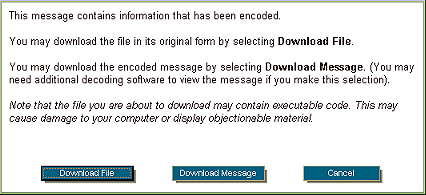
5. After setting the preferences, click on the file / files you want to download, and a download / cancel window will open, click "download file" and save the file with a .mp3 extension.
I decided to put this up because of people asking me how I use the newsgroups to get mp3s... Hope this helps you out.