
To play the music files, which are called MODs in general, you need
several things: a
player, WinZIP/PKUnzip, and the songs themselves. The following player
can be
found at MikMak's webpage,
or you can download it below.
To install the program, use WinZip or PKUnzip to extract the files from
the two
archives, putting them all in a single directory. (aka C:\MIKIT) Just
click on the
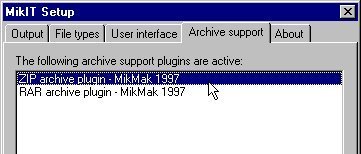
mikit.exe, and you should be ready. Configure the player by clicking
on the little tool,
which looks like a hammer. Make sure the ZIP archive support works,
as well
as any other options you choose to tinker with. The screenshot below
should look
similar.
Playing the Music
Once finished, click on the file manager, which looks like this:
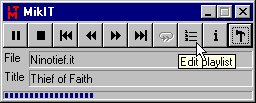
Click on open archive (or open file, if you have an unzipped module)
and pick the
song you wish to play.
(UNDER CONSTRUCTION)
Voila! You should be listening to tunes in no time! For more music,
click on the link
below or try some of my links! Click here to take you back
to the main page...