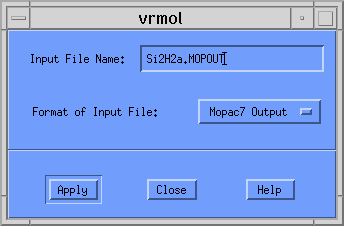
Once this is entered, you should click on the [Apply] button. Another dialog window appears asking you for the type of plot you want. Your choices are
In this example we will construct a CPK plot. This option should be selected from the pull-down menu so that the window looks like the following:
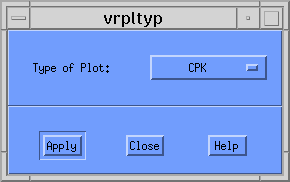
When you click the [Apply] button, VRMol writes the file Si2H2a.MOPOUT.CPK.wrl to disk. If you had selected Ball and Stick or Rods plot, VRMol would have created Si2H2a.MOPOUT.B-S.wrl or Si2H2a.MOPOUT.Rods.wrl, respectively.
To see this VRML image from a browser that supports a VRML Plug-in, simply click on Si2H2b.MOPOUT.CPK.wrl.
Unfortunately, browsers under AIX do not support such a plug-in, and you will have to examine this structure using another product. A few are available, and for ease of use I would recommend an older viewer called VRWeb. For further information, please consult Installing and Using VRWeb.
� 1999 Brian T. Luke, Ph.D.