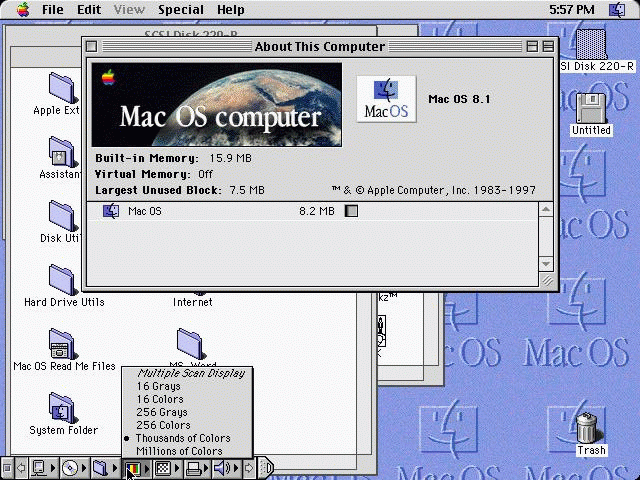
This is Mac OS 8.1 running in Fusion v1.2, hard to believe but true. This
is not my PC,
(looks the same on mine), but is a picture from Microcode Solutions Web-page.
I set-up the
emulator with 48-meg's of RAM and load Smartdrv from DOS before starting
the Emulator.
Smartdrv with no command line arguments used will almost double the speed
of all the boot
operations and once loaded, will also speed all applications run with the
Mac OS! Remember
that tip cause it's very slow with out Smartdrv. If you have
the RAM try ex: Smartdrv 4096.
Note that in the real emulation, the view is Full-Screen.
Back

You are Visitor No:
|
Home