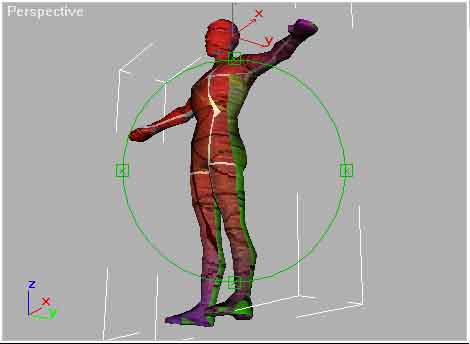
Below you can see the full body model with the reference map applied. You can clearly see where the front faces meet the back, this is where the red meets the green. Also if you look carefully you'll see that the sides are stretched out.
At the moment our mapping coordinates aren't using the map space very effectively, resulting in too little detail for the size of map. One way of improving the use of map space (for models that are symmetrical) is to mirror the coordinates. If two sets of mapping coordinates are applied to the same piece of map, that texture will appear in two different places on the model. If one set coordinates are mirrored, then you'll get a normal and mirrored version of the texture appear on the model. This means you need only paint one side of the model texture and the other side can be mirrored. This effectively doubles the amount of usable space in the map.
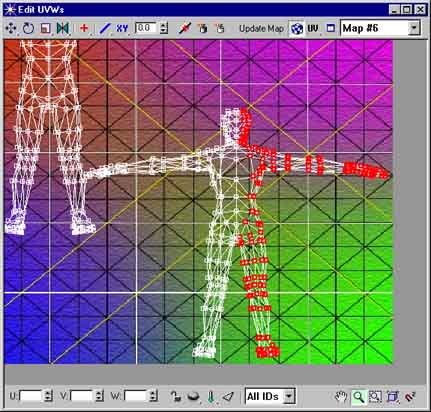
To mirror the coordinates for our full body model apply an Unwrap UVW modifier and press edit. Zoom in on the lower right corner and select the right half of the coordinates for the back faces.
Note: The reference texture map now appears in the Edit UVW dialog to assist in associating coordinates here with those on the model in the viewport. Any change made in the Edit UWV dialog will be updated in the viewport in real time, so it is a good idea to position the Edit UVW dialog so that it and the model in the view port can be seen at the same time.