|
|

|
|
|
|
|
Into ASP |
Page 2 |
|
Using PWS: Double clicking on the PWS icon in the "Quick Launch" taskbar (bottom right of your screen near the clock) will bring up the "Personal Web Manager" window (fig 1). |
|
|
|
|
|
Clicking on the Your
Home Directory link (typically C:\Inetpub\wwwroot) opens your
home directory(fig 2) and displays the files stored there by default. Of course, you can also get into this file via Windows Explorer. |
|
|
|
|
|
It is here that you will
be storing your .ASP files. You will see that there is
already an ASP file in the directory named "default.asp". This forms part of the PWS default web page. If you click "Start > Run" type in http://localhost/default.asp and click OK, this default page will open in your web browser. |
|
|
|

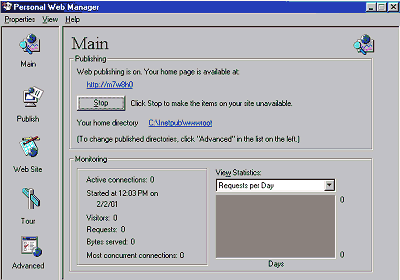 Fig 1
Fig 1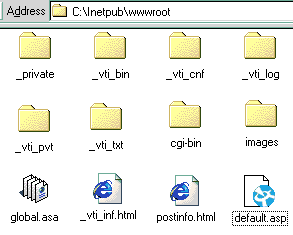 Fig 2
Fig 2