  |

Capabilities
|
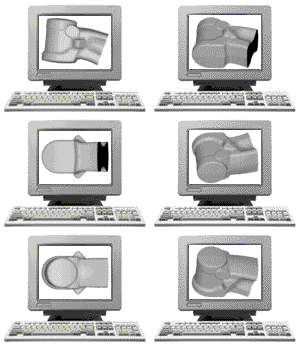
HARDWARE SUN SPARC Station IPC / UNIX / SolarisPC Pentium II / Microsoft Windows NT Workstation 4.0 Service Pack 5 PC Pentium II / Microsoft Windows 98/2000Canon BJC-240 COLOR BUBBLE JET PRINTERCanon BJC-620 COLOR BUBBLE JET PRINTERIOMEGA ZIP 100 DRIVEScanExpress 12000p FAX/DATA/VOICE MODEM PROLINK V.90 56000bps SUN SPARC Station IPC / UNIX / SolarisPC Pentium II / Microsoft Windows NT Workstation 4.0 Service Pack 5 PC Pentium II / Microsoft Windows 98/2000Canon BJC-240 COLOR BUBBLE JET PRINTERCanon BJC-620 COLOR BUBBLE JET PRINTERIOMEGA ZIP 100 DRIVEScanExpress 12000p FAX/DATA/VOICE MODEM PROLINK V.90 56000bps |
|
SOFTWARE
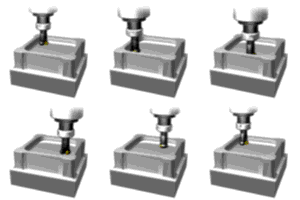
CAD/CAM/CAE Applications C-SOLUTIONS GMS V3.7SPATIAL ACIS 3D Open Viewer 6.0Hummingbird Exceed 2D / Exceed 3DNC Post ProcessorsAutoCAD R14 C-SOLUTIONS GMS V3.7SPATIAL ACIS 3D Open Viewer 6.0Hummingbird Exceed 2D / Exceed 3DNC Post ProcessorsAutoCAD R14 |
| Microsoft Internet Explorer 5Microsoft Outlook Express 5Microsoft Front Page Express Microsoft Office 2000 Microsoft Word 2000Microsoft Excel 2000Microsoft Access 2000Microsoft Outlook 2000Microsoft Front Page 2000Microsoft Power Point 2000 |
 OTHER APPLICATIONS OTHER APPLICATIONS |
CorelDRAW 8Corel Photo-Paint 8CorelDREAM 3D 8Netscape Communicator 4.72Real Player G2WinZip 8.0Go!Zilla 3.91Iomega Ware 2.21Adobe Acrobat Reader 3.01Trellix Web 2.7 |
C-SOLUTIONS GMSWorksGMSWorks 4.0/4.1Major New Features in GMS V4.0
New state of the art Graphics Subsystem:
Targeted for both OpenGL and X-Windows with enhanced speed for all display operationsDynamic Zoom / Pan / RotateEnhanced entity select with dynamic tentative highlighting technology on wire frame, surface, and solid, in all display modes3-D fully dynamic Wire Frame / Shaded / Hidden Line Removed work modesSpecially tuned for maximum performance on SUN CREATOR3D and ELITE3D graphics cards, along with high end PC graphics cards. Major new Surface/Solid Modeler revision featuring:
An upgrade from the ACIS 2.1 Solid Kernel to the brand new ACIS 4.3 Kernel, the performance and reliability is outstandingNew fully integrated Complex Free-Form Surface Shell modeling, including ruled, curve mesh, curve driven, skin, cover curves, swept, helix/thread, offset, blend, solid sliceMost advanced Surface/Solid Skinning through multiple differing cross-sections and optionally following a drive curveBlend Surfaces and Solids (joining surface shells with a smooth blend surface or blending between solid bodies to join them smoothly together) New Complex Face and Curve Sweep interfaceHelix/Thread Sweeps of surfaces and solidsSmoothest rounds/fillets for best part finish quality and reflection linesComplete UNDO/REDO/GOTO, history stored with the part model Direct geometry manipulations to change existing designs: face offsets, tapers, translate, rotateSTL InterfaceIGES support of Solid Entities. Automatic Finite Element Mesh from Solid Shell, ready for input to SIMUFLOW3DGMSWorks 4.1 is the latest release of the CAD/CAM software that has been helping engineers design and manufacture complex parts since 1982. This computer aided design and manufacturing (CAD/CAM) software package includes a full integration of the new DESIGNBASE surface innovation 2000 advanced modeling kernel, featuring superior free form surface and solid geometry modeling and unmatched design editing capabilities.
Major enhancements to complex surface and solid modeling allow for the design, modification, and manufacturing of today's most complicated parts. GMSWorks features an extensive, best of all worlds, combination of design editing capabilities. Design modifications can be accomplished in a variety of ways including direct geometry manipulation, advanced history management, or simply changing a parametric dimension. The updated graphical interface provides stunning 3-D visualizations of designs, taking full advantage of OpenGL to deliver higher quality images, faster rendering and a dynamic work environment.
An additional feature will allow a surface model (imported via IGES for example) to be brought into the system and, through a process called body healing and stitching, will pull the surfaces back together to create a solid model. Many other complex modeling functions are available as well. Of particular interest to complex part mold and tool makers are thin wall shelling, surface shell thickening, robust helical thread modeling, multiple trajectory surface skinning and self intersection repair.
What's New in GMSWorks V4.1
 New state of the art Graphics enhancements
 Robust, Automatic 2-D views from 3-D solid and surface shell models courtesy of the newly acquired D-Cubed Hidden Line ManagerDirect raster image file save out from GMS in standard formats: gif, jpg, bmp, png, xpmImport image file to GMS background for use as a trace over template or background render imageVertex & Parameter display togglesOpen vertex and Open Edge display optionsConfigurable GMS background color changes to indicate drawing or doc mode view is active.Dynamic Zoom / Pan / Rotate3-D fully dynamic Wire Frame / Shaded / Hidden Line Removed working display modes.Targeted for both OpenGL and X-Windows (old Sun SparcStations) with enhanced speed for all display operations.Specially tuned for maximum performance on SUN CREATOR3D and ELITE3D graphics cards, as well as high-end PC graphics cards.Major new Surface/Solid Modeler revision featuring the new DESIGNBASE Surface Innovation 2000 Meta-Modeling kernelParametric model modification functions to compliment history-based modifications and direct geometry manipulationsWelding/Healing capability to allow individual surface data of varying precision to be welded into contiguous surface shells and full solid models.Fully integrated complex free-form solid modelingMost advanced surface skinning through multiple differing cross-sections and multiple drive curves.Blend surfaces and solids (joining surface shells with a smooth blend surface or blending between solid bodies to join them smoothly)New complex Face and Curve sweep interfaceHelix/Thread sweeps of surface and solids shapesDesign ModificationParametric 3-D wire, surface shell, and solid modelingHistory tree with unlimited undo/redo/goto saved with part modelVertex, edge, and face moving and stretchingDivide edges and faces in the modelRemove / Replace faces and edges in the modelRobust model cut operations by plane, curve projection, or face setSurface & Curve tweakingContinuity checking and changesSurface smoothingConvert edges to lines/arcsWire ModelingNew parametric 3-D wire modeling: create, join, modify, extend curves in a wire body. Use parametric wire bodies for construction of Surface Shell and Solid parts.Intersection wires (curves): body/body, body/face(s), body/plane, face(s)/face(s), face(s)/planeProjection wires (curves): to body, faces(s), depthTrue silhouette wires (curves) from body or face set3-D helix wires (curves)Weld disjoint curves into contiguous wire bodiesOffset wiresBlend Join between disjoint wiresSurface ModelingNew surface skinning which features multiple cross sections and multiple trajectory pathsBlend join surfacesSurface thickeningSurface stitchingHelix / thread swept surfacesDivide face set along silhouette projection for core / cavity modeling and parting surface creation.Solid ModelingNew robust thin wall shelling featureHandy pyramid solid primitiveSolid shapes direct from wire: lift, project, or sweepHelix / thread swept solid shapesNew advanced blending features Blend vertex style options: precise, smooth, tangentBlend type options: rolling ball, distance to each side of edge, total blend width, mid-point. Stop EdgesGMS Error Handling enhancementsLicense DiagnosticsPermission / Path checkingProtections against part corruptions caused by out of disk and/or memory system problemsGMSVIEW - Inexpensive GMS Part Viewer product that can be used to view, measure, mark up, and plot GMS part files.Advanced Machining ApplicationsAutomatic roughing, z-level, and surface milling direct from Solid Models.Enhanced surface milling cut direction options to allow flow line machining, spiral cut strategy, cut along any curve, offset from a curve, and vector from a curve.Constraint menu for multi-surface machining (MSURF), including minimum Z depth constraint and maximum cut angle to leave steep surfaces for z-level strategy.By Region or By Level strategies for roughing and z-level machining.Optional Rest Material calculation during roughing.Enhanced spiral entry features for roughing and z-level machining.Both constant and variable z-step increments supported in z-roughing (ZRUFF) and z-level machining (ZSLICE)macro capabilities added to edm to enhance and simplify the process of similar tasks within wire erosion processing. several new postprocessors available for edm: agie, agie evolution, charmilles and mitsubishi.
MSURF (Multiple Surface/Solid Machining)
Enhanced cut directions to allow flow line machining, spiral inside to out or out to in, cut along any curve, offset from a curve, vector from a curveThe Spiral strategy is very impressive, supporting real high speed machiningAGILEAGILE Programming Language
AGILE is a high-level, compiled graphics programming language.
AGILE's versatility enables customization of C-Solution's Geometric Modeling Software (GMS) for specific needs.
AGILE can serve an interface between GMS and user-written applications. When combined with the GMS system, AGILE can significantly reduce the time required for the design and manufacturing cycle. It's free format, simplified concepts, and comprehensive diagnostics make it an ideal tool for non-programmers. It's structured programming, full algorithmic capability, scientific function library, and interface to C and FORTRAN provide the power desired by experienced programmers.
Product Capabilities
Interacts directly with the graphic nucleus of GMS through a set of geometric construction and manipulation functions Forms the basis for a system query language Allows interfacing to routines written in other languages, to the operating system, and to external services Enables the user to alter menus, create special functions and add tutorials to the existing GMS system Carries out functions which are transparent to the GMS user Empowers the user to create new customized application packages Benefits
Allows customization of the C-Solution line of software products to meet Simplifies modification of existing constructions, permitting repeated execution of a program with varying input
Promotes process automation and parametric capabilities Utilizes easy-to-learn commands Components and Features
Clean, consistent syntax Straightforward process permits new programs to incorporate segments of existing programs
Input to graphics functions may be fixed values, calculated values, created entities, or user input during program execution
Compilation eliminates constraints on the size and complexity of programs Complete set of structured programming statements Simplified error checking with easily understood error messages Parameters may be supplied in an argument list from another program or interactively from the terminal
Functions and graphics keywords may be renamed DRAFTINGDRAFTING DESIGN SYSTEM
The GMS design system offers various packages of the C-Solution's products which are especially targeted for the drafts person and designer. GMS provides a low cost design and drafting solution.
Design
3-D geometric modeling system User-definable icons interface User Coordinate System (UCS) Step rotation 2D analysis Hidden line capabilities Drawing and view layouts drafting Drafting
Full ANSI-supported capabilities BSI, DIN, JIS, & ISO drafting standards ANSI standard feature control frames Complete modalized drafting symbols Symbols
Automatic updating Definition and connection control Instance-specific text Benefits
CAD/CAM software targeted directly for design and drafting applications Fully compatible and upgradable with entire C-Solution product line Competitively priced licensing NUMERICAL CONTROLGMSWorks N/C
An Integrated Product with C-Solution's GMS Software N/C is C-Solution's totally integrated solution for manufacturing.
Working with a design created in GMS (C-Solution's Geometric Modeling Software), the user can interactively develop a program for the N/C machine tool.
The user has the power to edit and manipulate the part program to optimize the results.
N/C software supports cavity and multi-surface machining, as well as 2- to 5 axis machining, 4-axis wire EDM, lathe threading, grooving, and drilling.
Mill machining includes point-to-point, automatic pocket and profiling, and parametric surface machining with such features as lace or non-lace motion, containment, optional gouge checking, and multiple tool axis control.
Lathe features offer rough and finish turning on outside, inside, or face shapes, and user-specified blanks, steps, and part shapes.
Additional N/C tools include user-defined tool libraries, an interactive tool path editor, and powerful N/C macros. N/C tool libraries allow the user to define tool parameters, access an interactive feed/speed calculator, and create multiple libraries for FMC/FMS environments.
The editor features a "play back" capability for displaying tool motion.
The N/C macros can be edited with AGILE (the GMS programming language) or with the text editor.
C-Solution's N/C package provides the tools necessary to produce all associated support documentation for the manufacturing operation.
This full-featured N/C package incorporates the "NC Engine" tools developed by Building Block Software, Inc.
N/C offers modalized operation, allowing the user to modify default parameters.
The interface is consistent with the GMS easy-to-use menus and icon display.
C-Solutions has developed a family of NC solutions which are powerful, flexible and easy to use.
GMSWorks NC was designed to operate in a multi-Cad environment where surface data is not always precise.
This significantly lessens the amount of time a user has to spend reconstructing geometry.
The user interface is intuitive and does not require significant training time.
GMSWorks NC supports 2 ½ to 5 axis machining including turning and wire EDM applications.
All programs are designed for automatic gouge checking and collision free machining.
MSURF – Multiple Surface Machining
In today’s environment NC programmers can spend more time cleaning up existing IGES files than actually creating tool paths.
The multiple surface machining package from C-Solutions can create tool paths from imperfect surface data.
Gaps and overlaps can be successfully machined without having to remodel the part.
Whenever two surfaces overlap (with different Z values) the tool path will be created on the upper surface.
Large gaps greater than the tool diameter will cause the tool to retract to the specified Z-plane before machining the next surface.
Cut limits can be defined in order to machine a specific area.
The user has complete control over which surfaces will be cut and which surfaces should be avoided.
Machining modals can be set dynamically or via an external file.
RUFF – Rough Milling
Rough milling supports both core and cavity machining.
An infinite number of islands can be defined when pocket milling.
Core machining is defined by a closed curve set.
Boundary conditions are checked at each Z-level and can be dynamically manipulated.
A surface normal feature will verify that the surface normal is correct when it encounters a vertical surface or a surface with a significant overhang.
A trim overhang feature will trim the boundaries at each level to the boundaries of the previous level in order to avoid machining overhanging regions.
Geometry can consist of surfaces, curves, bodies or faces.
SLICE – Z-level Machining
Slice is a Z-level machining program which machines complex parts consisting of multiple surfaces.
A slice application is parts which require ribs developed on steep surfaces which must be cut from top to bottom.
Slice can operate in either lace or non-lace modes.
EDM
The wire EDM package can create either two or four axis wire erosion paths with a minimum of user intervention.
This is accomplished through the use of macros.
Several modals can be preset and stored to reflect the needs of specific operations.
Cut options include conic, cylindrical or a sharp mode.
Display modals can be set so that ruled surface like connections are created to show how the wire will move.
An additional option to generate gears is included.
Post processors for most popular machines are also included.
GMSWorks NC is a sophisticated yet easy to use NC solution which was designed to operate in a complex environment.
Our comprehensive suite of NC solutions makes us the software of choice for the professional user.
SOLID MODELINGC-Solution's GMS 3.x Release features an all-new solid modeler.
C-Solution's new solid modeler incorporates ACIS, a three-dimensional, boundary-representation, geometric modeler produced by Spatial Technology Inc.
ACIS, which is emerging as an industry standard, represents leading edge technology.
Its informationally complete data structure allows a high level interface between design and manufacturing, while offering open access and communications to other software products.
This next generation solid modeler brings together the separate worlds of wireframes, surfaces, and solids, by allowing these alternative representations
to coexist naturally in its data structure.
Solids modeling enables the user to advance to a new conceptual approach to design, creating models through explicit representations of 3-D objects, such as cones, cylinders, planes, spheres, and tori. Boolean operations may be applied to the solids.
Profiles composed of straight lines, arcs (of circles or ellipses), and non-uniform rational B-splines (NURBS) can be swept along a wire or around an axis to form a solid.
Slices may be created to study the intersections between two solid bodies.
The new solids capability functions within GMS with complete compatibility with all other GMS functionality.
In addition, use of C-Solutions analysis and production software tools and third party CAD/CAM/CAE products may utilize the geometry generated in solids.
ACIS is compiled, supported, and released only on current windowing platforms such as Sun Microsystems, Hewlett-Packard and NT workstations.
These systems not only offer the required programming constructs, but optimal speed and networking capabilities.
These CAD/CAM workstations are available directly through C-Solutions, with operating systems and software applications preloaded.
Support and supplies are also offered direct from C-Solutions.
C-Solution's SMART Solids Modeler is one of the first products built upon the ACIS Geometric Modeler kernel to become commercially available in the CAD/CAM/CAE marketplace.
While based on the emerging ACIS core standard, C-Solution's unique implementation offers users the opportunity to design in wireframe, surface, and solid models while maintaining continuity of the underlying geometry database.
Full compatibility between SMART and other C-Solutions products is assured.
Product Capabilities
Complete direct AGILE interface to solids Rollback and Rollforward for returning to previous states Automatic Hidden Line Removal Features Precise B-Rep modeler for coincident, tangent, and near tangent geometry Parametric and Analytic Curves and Surfaces NURBS cylinders and cones, spheres, tori bounded, semi-bounded, and unbounded geometry Blends and Face Operations planar chamfers, analytic curved blends, and non-analytic rolling ball blends along arbitrary intersection curves taper and offsets of faces Boolean Operations include unite, subtract, intersect, and difference Entity Manipulation: move, copy, rotate, mirror C-Solution's SMART Solids Modeler can be used to create stereolithography parts directly from the ACIS ".sat" file. C-Solutions has a marketing agreement with Rapid Prototyping Corporation in Longmont, Colorado so that C-Solutions can quote and deliver STL parts directly to it's customer base.
This is another example of the C-Solutions philosophy to provide it's customer base with "one-stop shopping" for all it's software, hardware, and operating system needs.
PDMProject Data Management
Project Data Management Software is available that works seamlessly with the other components of the GMS product line.
The comprehensive program provides all the features necessary to manage CAD/CAM projects, including GMS parts, N/C toolpaths, plot files, IGES files,
and more.
Providing project data management through all project phases is essential for companies employing concurrent engineering methodologies.
The GMS Data Management software is a network based product which manages project data, keeping track of who is working on a particular part, tracking modifications, and providing centralized data storage and archiving for easy reliable system administration.
All of this is provided with a simple, easy to use native OpenWindows user interface for running GMS and managing data.
SIMUFLOW-SIMUMOLD-OPTIMOLDMold FillingQuick fill preview analysis (isothermal, Newtonian) Variable Injection rates Stress calculation Automatic weld line interpretation Automatic gas entrapment interpretation Velocity vectors Hot Runners Kaskaden (Cascade) injection, individually programmable gate injection times Gate modeling Fully integrated with mold cooling analysis Time history plots of pressure, temperature, shear rate, shear stress, density at any location in the model Thickness profile plots at specified locations in the model of temperature, shear rate, shear stress, velocity Full thickness or half thickness analysis or both Batch mode runs of many test cases at once Automatic Runner Balancing Material DatabasePlastic material database included User extensible database Post-ProcessingShaded results Multiple views Side-by-Side comparisons of multiple project results Velocity vectors Weld line display Weld time and temperature display Gas entrapment display Display of frozen-in shear stresses Display of temperature variation cavity / core CAD / FEA direct software interfacesGMS Ansys Aries AutoCad Cadkey Nisa Nastran Pro-Engineer Patran Custom interfaces available Packing / HoldingFully integrated with mold filling and cooling analyses Variable holding pressures/times Stress calculation Shrinkage calculation Hot Runners Automatic holding time calculation Full thickness or half thickness analysis or both Time history plots of pressure, temperature, shear rate, shear stress, density at any location in the model Thickness profile plots at specified locations in the model of temperature, shear rate, shear stress, velocity Batch mode runs of many test cases at once CoolingAutomatic water line circuiting optimization Recommended cooling layout Pressure and temperature drop through cooling system Cooling/heating and pumping requirements Fully integrated with mold filling and packing analyses 3D boundary element analysis 2D cross-sectional analysis Cycle time determination Support of multiple mold materials in the same model (3D) Hot Runners Batch mode runs of many test cases at once WarpageFrozen-in shear stresses Differential (cavity/core) cooling effects Flow vectors calculated throughout filling and holding periods help determine molecular orientation problems We currently do not attempt to predict linear shrinkage or a quantifiable warpage display due to the limited capabilities and practical application of the algorithms currently available today.
We believe there are serious limitations and inaccuracies in current algorithms designed to determine molecular orientation effects, crystallization cooling effects, and most importantly, pressure-volume-temperature models and freeze points calculated without including super-cooling effects!
In addition to the questionable predictions obtained from warpage analysis algorithms, the additional preparation and interpretation time required of the user can drastically increase engineering overhead. SIMUFLOW users have consistently been able to detect and correct molding problems for more than 10 years by looking individually at the major contributing factors to warpage: frozen-in shear stresses, differential cooling effects, and frozen-in molecular orientations.
SIMUFLOW continues to be the premier simulation tool for optimizing molding and processing conditions thereby eliminating the majority of warpage concerns. Some of our customers are now using sophisticated hot runner molding techniques in order to more tightly control the filling and packing conditions. SIMUFLOW now has the ability to simulate Kaskaden (Cascade) Injection which allows each gate to be individually programmed to a specific opening and closing time, this allows unprecedented control over the filling process! Thus allowing an optimum filling and packing scenario to be achieved, especially applicable to molding parts containing long flow paths.
Finite Element ModelingFully Integrated Finite Element Modeler Finite elements mesh characteristics specifically optimized to obtain the best possible results from the SIMUFLOW analysis algorithms (typical mesh patterns introduce significant error since they will influence the flow direction) Support for combination of wire frame, complex surface or solid model geometry Mesh refinement capabilities Molding condition parameters such as wall thickness, temperature constraints, gates, runner diameter can be modified directly from within the SIMUFLOW program. OptiMold Mold Design and Drawing CAD PackageDetailed cost estimation Cavity layout design Mold size estimation and sketching 2D and 3D mold design and detailing Bill of materials Complete databases for DME - American/European, National, Hasco - American/European, DMS, Futaba (Japanese) Custom mold design Cooling system detailing Runner detailing Automatic dimensioning Hardware / Operating System SupportSun Microsystems UNIX workstations (all products) Hewlett Packard HP900/7xx Unix workstations (all products) Intel PC - Dos/Windows 3.1 (SIMUFLOW/SIMUMOLD only) Intel PC - Windows NT version (all products) Important Purchase ConsiderationsThe user interface and ease of use of these software packages is very important in determining how useful it is to the user, which we believe is one of the largest advantages of the SIMUMOLD system over all of our competitors.
Some of these more intangible factors include:
The time it takes to prepare a model for analysis, finite element modeling, setting up material properties and processing conditions. Ease of part modifications, processing condition changes, etc.Speed of analysis, including the integration between the part design, FEM, and mold filling, packing, and cooling modules. The time and cost it takes to learn to use the software effectively. Ease of interpretation of the results through a strong graphical post-processor including side-by-side comparisons of multiple project runs. Batch mode runs of many test cases at once. Customer support, training. C-Solutions also supplies a completely integrated software solution from a single source which provides part design/analysis through mold design and manufacturing (numerical control). These more intangible factors should be considered by anyone evaluating plastics analysis software. Our competitors software packages generally have poor user interfaces and integration between various analysis modules which means it can take a user much longer to get adequate results and to interpret the data. This leads to more expensive operating costs, mistakes in interpretation, and a general resistance to the use of the software on most projects. Results received too late or that are too expensive to obtain are of no practical use. C-Solutions continues to focus on injection molding solutions by providing the most accurate, cost effective, and easy to use software available anywhere. Software usability combined with state of the art technology are the driving factors for C-Solutions software development.
We specialize in injection molding simulation of thermoplastic and composite materials and do not provide software for other molding processes such as reaction molding, blow molding, thermoset molding, etc.
Research and Development Department News Final Development phases on a new P-V-T (pressure-volume-temperature) model which takes the super-cooling of plastic in the mold into consideration when calculating densities in the packing and cooling phases of the molding process. We believe that this has been a major source of inaccuracy in the simulation processes of all current software packages, virtually making it impossible to get accurate packing and warpage results. The PVT characteristics of plastic materials are tested under very slow cooling conditions which are not representative of the cooling rates experienced during injection molding, our new PVT model is able to compensate for this discrepancy. We are excited that a solution to this problem has been found and that we continue to follow the SIMUFLOW tradition of providing the most accurate and easy to use software available.Also under development in partnership with one of our long time users, is a SIMUFLOW analysis project management interface which automatically designs and analyzes a set of SIMUFLOW experiments, specifically designed to optimize various processing conditions or solve specific molding problems. Along with managing simulation project logistics this software aids the user in quickly setting up a set of simulations which can be submitted as a batch job. Once the set of simulations has been run the software can statistically analyze the results and estimate an optimum set of processing conditions. Material Testing Services
Kinetech
PVT / Material Testing - Consulting
Youssef Fakhreddine, Ph.D., President
Phone/Fax: 303-665-7609
We have a partnership with Kinetech Laboratories, based in Louisville Colorado, that provides material testing services for SIMUFLOW users, insuring the best possible results and maximum use of SIMUFLOW/SIMUMOLD capabilities.
For general information & help [email protected]
Copyright ©1999 C-Solutions, Inc. All rights reserved
VERICUTVERICUT is software that simulates NC machining. It detects errors that could ruin the part, damage the fixture, break the cutting tool, or crash the machine.
VERICUT enables NC programmers to be certain the finished part will match the original design intent – without doing a single prove-out!
VERICUT works with G-codes and output from CAM systems.
Product Capabilities :
What's New?
Benefits of VERICUT software:Save Time:
|
Reduce or eliminate prove-outs and save machine tool, operator, and part programming time – all of which decrease time-to-market.
|
Increase Quality:
|
Verify dimensional accuracy and optimizetool paths for better finishes on surfaces and edges.
|
Save Money:
|
Reduce or eliminate the cost of machine tool crashes, rework, scrapped parts, and damaged tooling, fixtures, and clamps.
|
Increase Productivity:
|
Reduce machining times and interrupt production less frequently.
|
Build Confidence:
|
Test part programs on a computer so they run right the first time and operators don’t need to keep one hand on the "emergency stop" button.
|
Conserve Resources:
|
Reduce machine tool wear. Reduce cutting tool wear so cutting tools can be used longer before needing to be reground or replaced.
|
Improve Safety & Training:
|
Train programmers, operators, and students without using machine tool time or risking a dangerous, costly collision.
|
Improve Documentation:
|
Enable operators and managers to preview all machining operations.
|
Capabilities of VERICUT Software:
When we talk about "NC simulation/verification" we are really talking about four distinctive functions.
If you're shopping for a "NC simulation/verification" program, make sure it incorporates all of the following:
NC SimulationVERICUT features full 3D, solid model, shaded simulation of entire NC machine
tools and material removal.
This excellent visualization tool enables programmers and machinists alike
to preview exactly what will happen on the shop floor and check for collisions.
Many use VERICUT for electronic shop floor documentation.
NC VerificationVERICUT detects problems in the NC tool path program. It is a powerful visual inspection tool which highlights fast feed errors, gouges, and potential crashes/collisions. Programmers can detect and correct problems before prove-out.
With VERICUT you can virtually eliminate NC program mistakes, greatly reduce the time spent on prove-outs, and make the move to "lights-out" machining.
NC AnalysisVERICUT identifies the tool path record responsible for an error. You can quickly verify the dimensional accuracy of the entire part with a full array of 3D measurement tools.
VERICUT compares the simulated part to the design model so you can be sure the machined part will match the design intent.
VERICUT performs constant gouge-checking.
NC OptimizationVERICUT automatically determines the best feed rate for each segment of the tool path based on the machining conditions and amount of material removed.
Optimizing NC feed rates greatly reduces the time it takes to machine parts and improves the quality of surface finish. VERICUT is the only product that offers automatic feed rate optimization.
Copyright © 2000 CGTech All rights reserved

Copyright © 1996-2001 Ccs-TECH , Ltd. Last modified: January 8, 2001