|

How
do I save stationery to reuse later?
To reuse posted stationery, select
File|Save As and save the post.
It will save as a .nws file, but
don't worry, we'll fix that in a minute.
For this, you will need an HTML
editor, Notepad can't handle large files.
EM Editor Free is an excellent
program and can be found in the download section of this FAQ.
Open the saved .nws file in EM
Editor or the HTML editor of your choice.
The file will be very long because it
includes the basesection of the post, your 64 encoding of the
images. Within
the header will need to add the following text.
X-Unsent: 1
Add this line anywhere X-entries in
the header, see below:
MIME-Version: 1.0
Content-Type: multipart/related;
type="multipart/alternative";
boundary="----=_NextPart_000_0040_01BF989C.A4C29940"
X-Priority: 3
X-MSMail-Priority: Normal
X-Unsent:
1
X-Newsreader:
Microsoft Outlook Express 5.00.2919.6600
X-MimeOLE: Produced By Microsoft MimeOLE V5.00.2919.6600
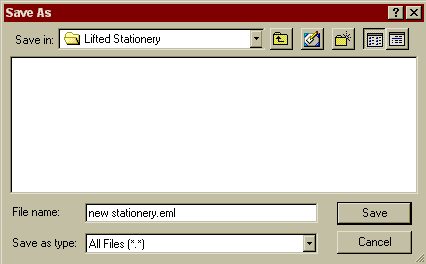
Name file with an .eml
extension and save, file type all files (*.*)
Whenever you
want to use this stationery, just double click the file and it's
like new. You can edit out the original text and include your new
text in the edit mode of OE.
|

