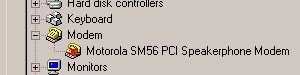
To
enable it, uncheck the disable in this hardware
profile option. You will need to reboot.
-
if the device works after this it is because
it was disabled. If it shows in the hardware
profiles with a yellow !
overwriting the icon, then check
the profiles for the device. Click the resources
tab and check the conflicting device list.
-
check if the change settings button is grayed
out. If it is then uncheck the Use Automatic
Settings and try to change the resource settings
again
-
if it is not grayed out, highlight the conflict
in the resource setting section and click
Change Setting Button. Select a new setting
for the resource and check for conflicts until
a non conflicting resource is found
-
if you find a non conflicting configuration
and it still foes not work repeat the process
for which the device conflicts. Should there
be no change, then the device requires some
firmware configuration, jumper settings change
or reallocation of resources in the computers
BIOS. Contact the device manufacturer.