A
closer look at Graphic Filters
Editorial
by Chris Stern Page 1 of 6
|
No
matter what program a graphics designer uses for creating their web images,
they will almost always agree that filters give them that little extra
effect that they may be looking for in an image. If you are not familiar
with filters, they are small programs or plugins that work inside and in
conjunction to graphic programs such as Phototshop, Paint Shop Pro and
a multitude of others. There are all manner of filters, from the simple
to the more complex, but all have something unique to offer a graphic designer.
Many of these filters are offered free by their creators and can easily
be downloaded from the web. (Please see the filter
links page included in this editorial for download sites.)
This
editorial will cover some of the filters I believe to be the most useful
and perhaps the most fun. Since there is a real artist hidden inside everyone
that creates web graphics, regardless if they are a novice or a more seasoned
graphic designer I will start with a filter that gives effects similar
to that of oils, watercolor pencil lines and even the old salt and water
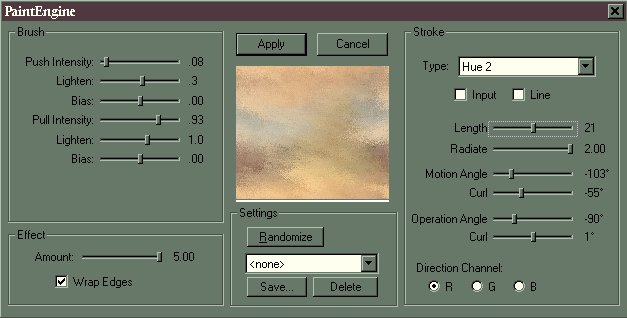
effects. This filter comes in a bundle called Paint
Engine by Fantastic Machine and is offered for free on their website.
While this filter comes with several presets already saved for your convenience,
you can also create your own by experimenting with the sliders or using
the randomize button, which moves all the sliders for you randomly giving
you different effects each time.
Paint
Engine works with the following programs: Adobe Photoshop, Illustrator,
After Effects, Paint Shop Pro, Unlead Photo Impact 4, Corel Photo-Paint,
and Fractal Designer Painter. Below are only a few examples of what can
be accomplished with this filter.
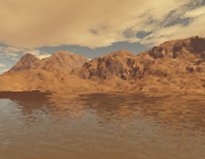
Original
image
|
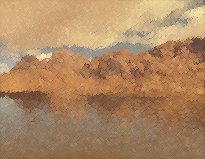
Pastel2
setting applied
|
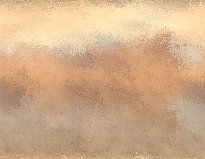
Randomized
settings. Image #3
|
Another
filter offered by Fantastic Machine is FM
Tile Tools. FM Tile Tools is not freeware, but is distributed as a
try before you buy demo. It comes with a selection of 21 filters
all of which as the name implies can be used to create different tile effects
such as those used in backgrounds for web pages.
About
now you may be wondering why anyone would create such a useless image as
the one displayed in the Randomized settings Image#3 box, shown in the
table directly above. As is often said, beauty is in the eye of the beholder,
and it takes a keen eye to notice that even an image as seemingly useless
as this has many possibilities, and I explain this in more detail a little
further down the page.
 |
Now
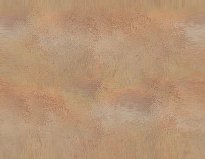
for the possibilities discussed above: The image on the left was created
using Image #3 directly above, it was then put into FM Tile Tools and the
Collage Circular was applied. This gave the image a soft sponge like effect.
After this the seamless filter of FM Tile Tools was applied: First
with Border width set to 0.25, Stretch Control, 0.25 Vertical unchecked.
and then with Border width set to 0.25, Stretch Control, 0.25 Vertical
checked. To see just one example of a use for such an image, click on the
tile on the left. |
 
Example
landscape was created in the terrain generating program
Terragen
A
very special thanks to Twistee
of Twisted Creations for her help in proofreading
this editorial.
All
contents and images on this page are copyrighted by Chris Stern of CS Designs,
and
are not to be copied or used on any other website without the written permission
of the artist.
Chris
Stern/CS Designs Copyright © Copyright All Rights Reserved 2000
|