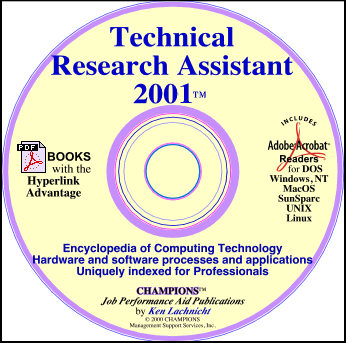
 Technical Research Assistant
Edition for 2001
Technical Research Assistant
Edition for 2001
An encyclopedia of computing
and consumer electronics technology specially designed as a
decision-support aid for engineers, technicians, students,
writers, as well as people in advertising, marketing, and
sales.
Technical
Research Assistant
(TRA2001)
provides clear and concise descriptions of the features,
functions and concepts of every type of hardware component
and software application in use today---plus the technical
standards that determine current and future products and
services.
Written in English for those
who don't speak English well, so even the most complex
technical topic can be easily understood from its core
concept to its many relationships, even those which are not
otherwise associated with it. For example, you may start
with the stepper motor, trace back its relationship to
magnets and/or electricity; side step to batteries and/or
transformers; jump over to byte error checking; then forward
to read/write heads in magnetic tape, floppy disk and hard
disk drives.
"Advanced indexing gives you
Not just a tree of knowledge, but the whole forest!"
The TRA2001's advanced indexing system provides six search
aids to help you explore the technical specifications,
concepts, features, and applications related to any topic.
That's more assistance aids than provided by any other
reference publication: encyclopedia, dictionary, study
guide, etc.
The TRA2001 is a PDF-based publication. Its hyperlinked
indexing can direct your research efforts from general to
specific concepts. Using hyperlinks can help you understand
the evolution of concepts as they may be---even
partially---related to even newer concepts.
Every field of use for
personal computer and consumer electronic technology is
supported: from advertising and education to scientific
research and personal artistic expression. This site
provides the following content samples:
Hardware
Concepts including
electrical concepts, systemboard components; data-storage,
I/O and communications devices, and more.
Software
File Formats; as
well as editing, compression, encryption, conversion, and
process concepts.
Book  Pricing Pricing
Software File Format Compendium
Definitions of Software
Data Formats,
Editing, Compression and Encryption Features
Conversion Processes and Comparisons
The contents of this
compendium were selected from the thousands of references in
the publication: Technical Research
Assistant 2001™
(TRA2001). The information is presented as a courtesy
for reference purposes only, reproduction
is prohibited.
The File Format
Compendium's references
are samples only. Each one is presented in greater detail in
the TRA2001.
The sampled references demonstrate the advantage of using
hypertext links within individual definitions to explore
related topics.
The TRA2001 is a PDF-based publication. It has six
hyperlink and presentation aids to help you quickly find
everything you need to know about the technical
specification, concepts, features and applications related
to any topic. That's more assistance aids than provided by
any other reference: encyclopedia, dictionary, study guide,
etc.
Software publishing is a
dynamic and constantly changing industry. Most applications
evolve to better compete with the many new applications
coming to market each year--even those written for different
operating systems. This results in the almost monthly
introduction of new file formats and/or new versions of
formats including those approved by the many "standards"
organizations. It is our hope that in using the compendium
you will help maintain its contents with your
suggestions.
Compendium information is
listed alphabetically, use the index below to find what you
are looking for.
Software File Format Compendium
References are
samples only. Each one is presented in greater detail in the
Technical Research Assistant
2001
Tell me more about
File
Formats and
file Conversions
Book Pricing
Hardware
Compendium
Definitions of
systemboard components,
electrical concepts, communication processes,
data-storage options and I/O devices.
The contents of this
compendium were selected from the thousands of references in
the publication: Technical Research
Assistant™ for 2001 (TRA2001). The information is presented as a courtesy
for reference purposes only, reproduction
is prohibited.
The Hardware
Compendium's references
are samples only. Each one is presented in greater detail in
the TRA2001.
The sampled references demonstrate the advantage of using
hypertext links within individual definitions to explore
related topics.
The TRA2001 is a PDF-based publication. It has six
hyperlink and presentation aids to help you quickly find the
technical specification, concepts, features and applications
related to any topic. That's more assistance aids than
provided by any other reference: encyclopedia, dictionary,
study guide, etc.
Software publishing is a
dynamic and constantly changing industry. Most applications
evolve to better compete with the many new applications
coming to market each year--even those written for different
operating systems. This results in the almost monthly
introduction of new file formats and/or new versions of
formats including those approved by the many "standards"
organizations. It is our hope that in using the compendium
you will help maintain its contents with your suggestions.
Compendium information is listed alphabetically, use the
index below to find what you are looking for.
Hardware Compendium
References are
samples only. Each one is presented in greater detail in the
Technical Research Assistant
2001
Did we miss any concepts? Did you
find any Inaccuracies? We would love to hear from you. Send
us email: CHAMPIONS
Technical Support Library
Book Pricing
Copyright © 2001
CHAMPIONS Management Support Services, Inc.
All rights
reserved.
Return  to top to top

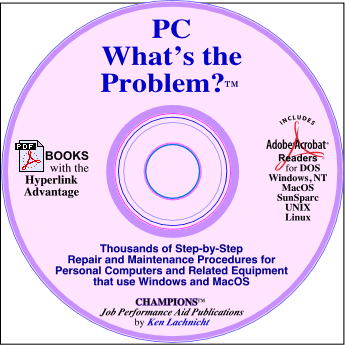
PC What's
The Problem?™
gives you more
procedures and critical support information than any other
single source, and it is continually updated to keep you on
the cutting edge of computer technology.
Uniquely designed for
experienced technicians to use on the job; its clear
language and step-by-step procedures also make it easy for
novice technicians to quickly develop the skills and
insights of the professionals.
PC What's
The Problem?™
has 21 Solution Sections in which similar topics are
organized.
- Section
1, Computer does not power on
- Section
2, Software Problems, Security &
Recovery
- Section
3, DOS error codes
- Section
4, DOS/Windows Error Messages
- Section
5, DOS/Windows Error
Conditions
- Section
6, OS/2 Error Conditions
- Section
7, DOS, including batch file
programing
- Section
8, MacOS Error codes, messages and
conditions
- Section
9, Install computer
system.
- Section
10, RAM, ROM, Processor Systemboard
Installation and Problems
- Section
11, Data-storage drive (floppy, hard, DVD, CD)
installation, configuration and maintenance
- Section
12, Manufacturer's descriptions of all types of
data-storage drives (floppy, hard, CD-ROM, DVD, MO,
etc.)
- Section
13, Powersupply & battery
problems
- Section
14, Keyboard, Mouse and other Data-Input Device
problems
- Section
15, Troubleshooting and repairing
Monitors
- Section
16, Printer and Printing problems
- Section
17, Cables and related interface
problems
- Section
18, Modem communications problems
- Section
19, Network communications problems
- Section
20, Using tools and test equipment to diagnose
and repair circuitboards, cables and other devices
related to computers and communications
- Section
21, Technical support phone numbers with product
references
Each section's Tables of
Contents is designed to help you quickly locate specific
maintenance and repair procedures and decision-support
information. Topic categories are organized so that
frequently referenced information precedes those needed less
often.
Procedures for thousands of
error and maintenance situations
PC What's
The Problem?™ step-by-step procedures are easy to read
and follow
- System installation
procedures that prevent future problems.
- Error codes and
messages--what they mean and how to respond to
them.
- Responding to software
compatibility problems. Complete File Formats Compendium
with data compression, encryption, transfer, translation
information.
- Using DOS, Windows and
MacOS.
- How to use diagnostic
equipment and repair tools.
- How to read schematic
drawings and understand component functions.
- Solving problems
associated with RAM, ROM, systemboards and board-level
components.
- Solving data storage
problems with diskdrives, CDs, DVDs, tape,
etc.
- Maintaining data input
and acquisition devices: keyboards, mice, pens,
etc.
- Troubleshooting power
problems, dealing with electrical short circuits,
batteries, and powersupplies.
- Installation and
operational problems associated with system output
devices: monitors, printers, and other presentation
equipment.
- Solving problems
associated with all computer-related interfaces and
cables. Includes signal function references.
- Network planing and
installation. LAN and micro-to-mainframe problem analysis
and responses.
- Task-support Tables
designed to support maintenance and repair
procedures
- Professional record
keeping system that documents system and network
configurations, troubleshooting efforts, and provides a
structure for decisions
Thousands of responses to
error and maintenance situations are presented in a format
that is easy to read and follow. Each procedure is a
response to a specific problem. The format is simple: "If
that is the problem, do this
1st, this 2nd,
etc.; if this occurs, do
this, if not, do that. Procedures are cross-referenced to
actually support troubleshooting with a single objective:
cure problems without causing new ones.
Book
Pricing
For more information
on this
" Job Performance Aid "
contact
CHAMPIONS
M.S.S.,Inc.
Return to top
|
|